By client we mean a program you use on your computer such as Outlook, Mac Mail, Thunderbird and phone accounts (eg. iOS and Android).
There are two important changes that you will need to make:
- First you need to use the full username and domain wherever it asks for username. So if the username for the email is fredblogs and the email address is [email protected] then you need to use [email protected] as the username and not just fredblogs as we would have in the past.
- The second is that we are connecting using a secure connection. Usually email is sent over an insecure connection but the technology to intercept your messages in public places is becoming more widespread. Because of this we are changing all our connections to SSL connections and this will give the little padlock symbol on your email accounts. The important changes are shown in the screen shots below.
The location of where you need to go in your client software does depend on what it is and what operating system you are using but its fairly generic for all and the places listed below are the ones to search first.
Where we have SoftForge you would be looking for the name that you called your account and the steps in bold have a corresponding screenshot:
- Thunderbird-> Edit-> Account Settings->SoftForge -> Server settings
- Outlook -> Account Settings -> SoftForge -> More Settings -> Advanced -> Outgoing Server
- Mac Mail -> Preferences -> SoftForge -> Advanced -> Account Information -> Outgoing Mail Server (SMTP) -> Edit SMTP Servers -> SoftForge
If you have problems following this then do call 01474 350 959 Monday to Friday 9am to 5pm and have the operating system and mail client open and ready to make the changes.
The following are the specific steps for the most common mail clients, Outlook, Mac Mail and Thunderbird:
Outlook
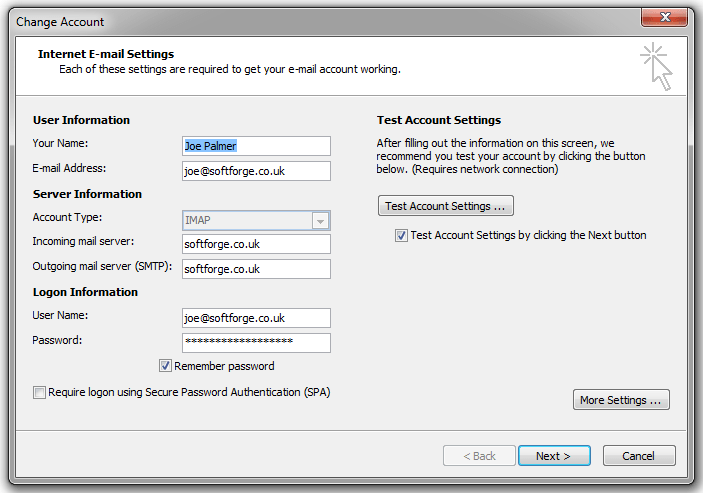
In all cases, the server name for you needs to be the same as in the example. Server name is simply:
softforge.co.uk
Just that, even if your domain is different you connect to our main server which is softforge.co.uk
The port should be 993
We are here assuming you are using imap as most people do, but if still using pop or pop3 then the port will be 995
The username is now your full email address for example [email protected] (please change to what ever yours is).
Connection encryption is SSL
Authentication method is Encrypted Password
NB: The server is no longer softforge.co.uk It has been changed to server5.softforge.co.uk
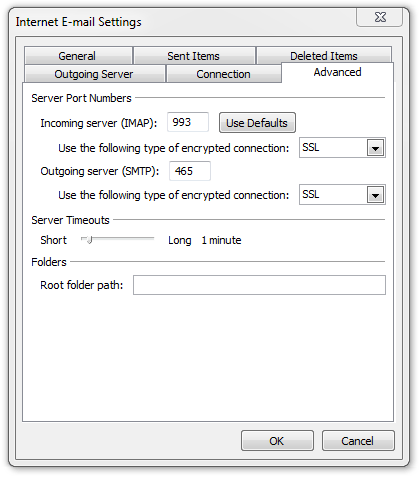
Sending email, the SMTP instructions are shown as well.Again the server name is simply:
softforge.co.uk
This time the port will be 465
Connection encryption is SSL
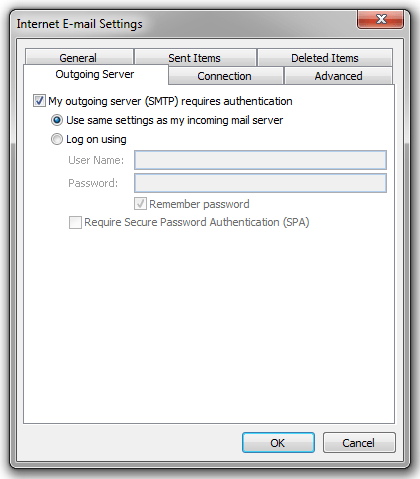
Authentication method is Use same settings as my incoming mail server
The username is what ever the username you use normally so if your email is [email protected] then in the past you would have used info but now you must use the full email address as the username so it will be [email protected] (please change to what ever yours is).
You will be asked to reenter your password again, don't forget to tick any "save password" box.
Thats it, you should now be using secure connections and your communications in public areas over public wifi will be a lot safer.
Mac Mail
In all cases, the server name for you needs to be the same as in the example. The server name is simply:
softforge.co.uk
Just that, even if your domain is different you connect to our main server which is softforge.co.uk
The port should be993
We are here assuming you are using imap as most people do, but if still using pop or pop3 then the port will be 995
The username is what ever the username you use normally so if your email is[email protected]then in the past you would have used info but now you must use the full email address as the username so it will be[email protected](please change to what ever yours is).
Connection security isSSL/TLS
Authentication method isEncrypted Password
NB: The server is no longer softforge.co.uk It has been changed to server5.softforge.co.uk
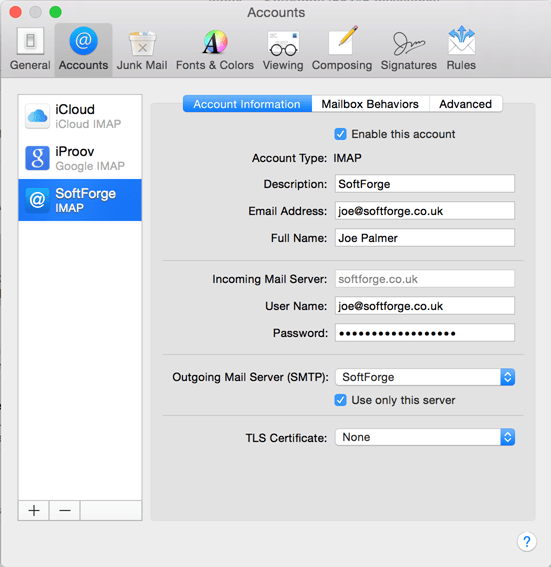
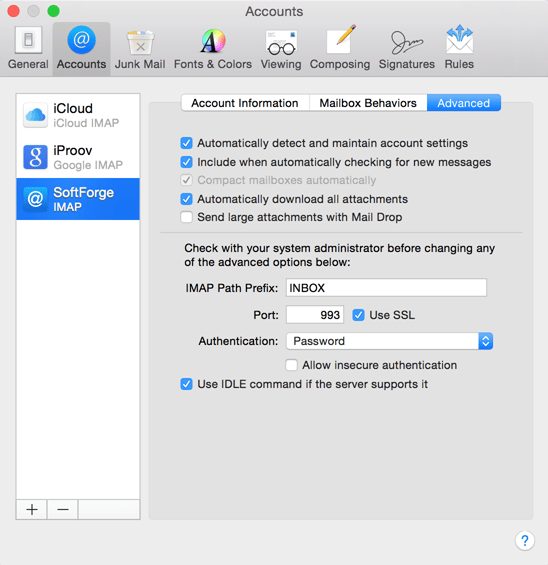
Sending email, the SMTP instructions are shown as well.Again the server name is simply:
softforge.co.uk
This time the port will be465
Connection security isUseSSL
Authentication method isPassword
The username is what ever the username you use normally so if your email is[email protected]then in the past you would have used info but now you must use the full email address as the username so it will be[email protected](please change to what ever yours is).
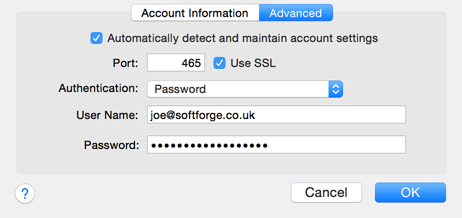
You will be asked to reenter your password again, don't forget to tick any "save password" box.
Thats it, you should now be using secure connections and your communications in public areas over public wifi will be a lot safer.
Thunderbird
In all cases, the server name for you needs to be the same as in the example. Server name is simply:
softforge.co.uk
Just that, even if your domain is different you connect to our main server which is softforge.co.uk
The port should be 993
We are here assuming you are using imap as most people do, but if still using pop or pop3 then the port will be 995
The username is what ever the username you use normally so if your email is [email protected] then in the past you would have used info but now you must use the full email address as the username so it will be [email protected] (please change to what ever yours is).
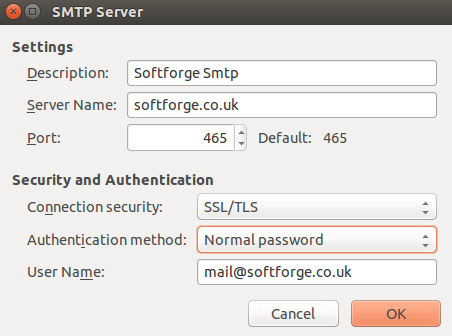
Connection security is SSL/TLS
Authentication method is Normal Password
NB: The server is no longer softforge.co.uk It has been changed to server5.softforge.co.uk
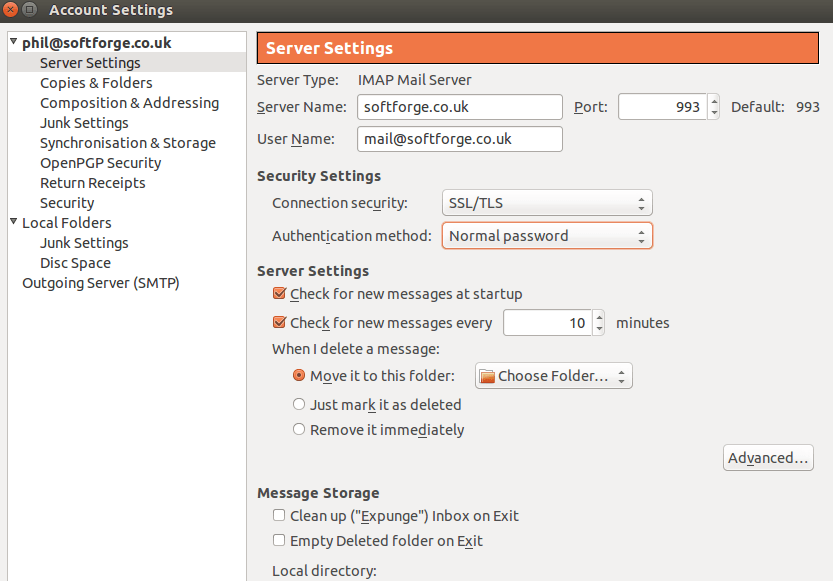
Sending email, the SMTP instructions are shown as well.Again the server name is simply:
softforge.co.uk
This time the port will be 465
Connection security is SSL/TLS
Authentication method is Normal Password
The username is what ever the username you use normally so if your email is [email protected] then in the past you would have used info but now you must use the full email address as the username so it will be [email protected] (please change to what ever yours is).
NB: The server is no longer softforge.co.uk It has been changed to server5.softforge.co.uk
You will be asked to reenter your password again, don't forget to tick any "save password" box.
Thats it, you should now be using secure connections and your communications in public areas over public wifi will be a lot safer.
Any questions or requests to reset your password to something longer and safer then please call 01474 350 959 Monday to Friday 9am to 5pm.
Phil and Joe

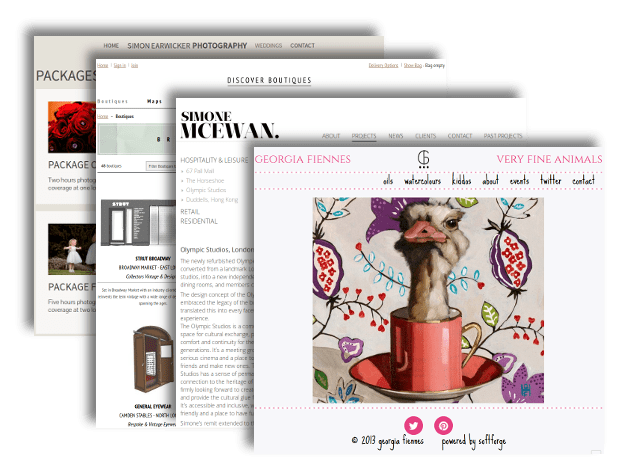
 SoftForge has worked with some of the biggest names over the last decade. We can help bring about a team lead solution slotting into that part of an company that requires our expertise to make your projects and plans a reality.
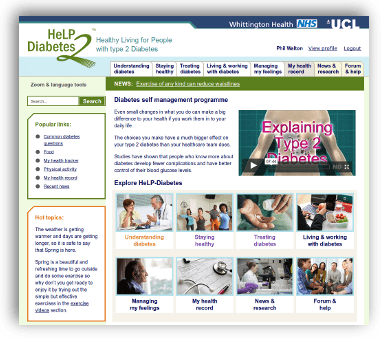 With the
  Capital fortune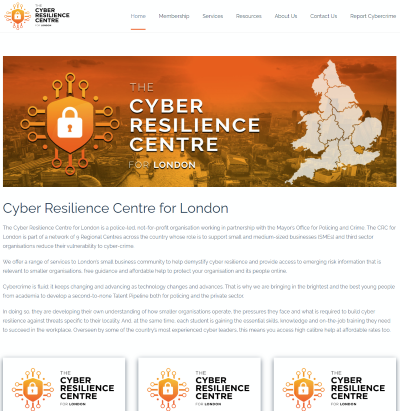
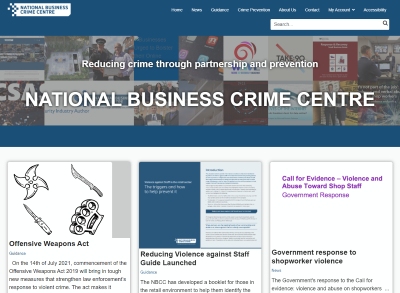 With the National Business Crime Centre, we delivered a blog and news centric system that allows the police to quickly get the latest updates and trends out to business owners and other organisations. It also has a download area for shops and small businesses to print off their own posters and leaflets, linking the police and crime reduction advice with the businesses that need the help and information. Many campaigns have been pushed out through the pages of the National Business Crime Centre over the last 5 years and members of the business world have benefited from the advice given in tackling crime and staying safe at work.
 Secured By Design is a sophisticated product search that allows customers, architects, and members of the public to search for companies that supply products that meet the Secured By Design standard.